

Migration Strategy
Your Migration Strategy defines the overarching approach that drives every treatment decision. Rather than answering the long list of questions earlier versions required, you make one clear choice, and Dr Migrate uses it to evaluate every server and technology in your estate and generate treatment preferences for you to review.
Strategy is the first input the AI planner needs. Setting it is what allows Dr Migrate to generate treatment preferences and, in turn, a full 6R treatment plan.
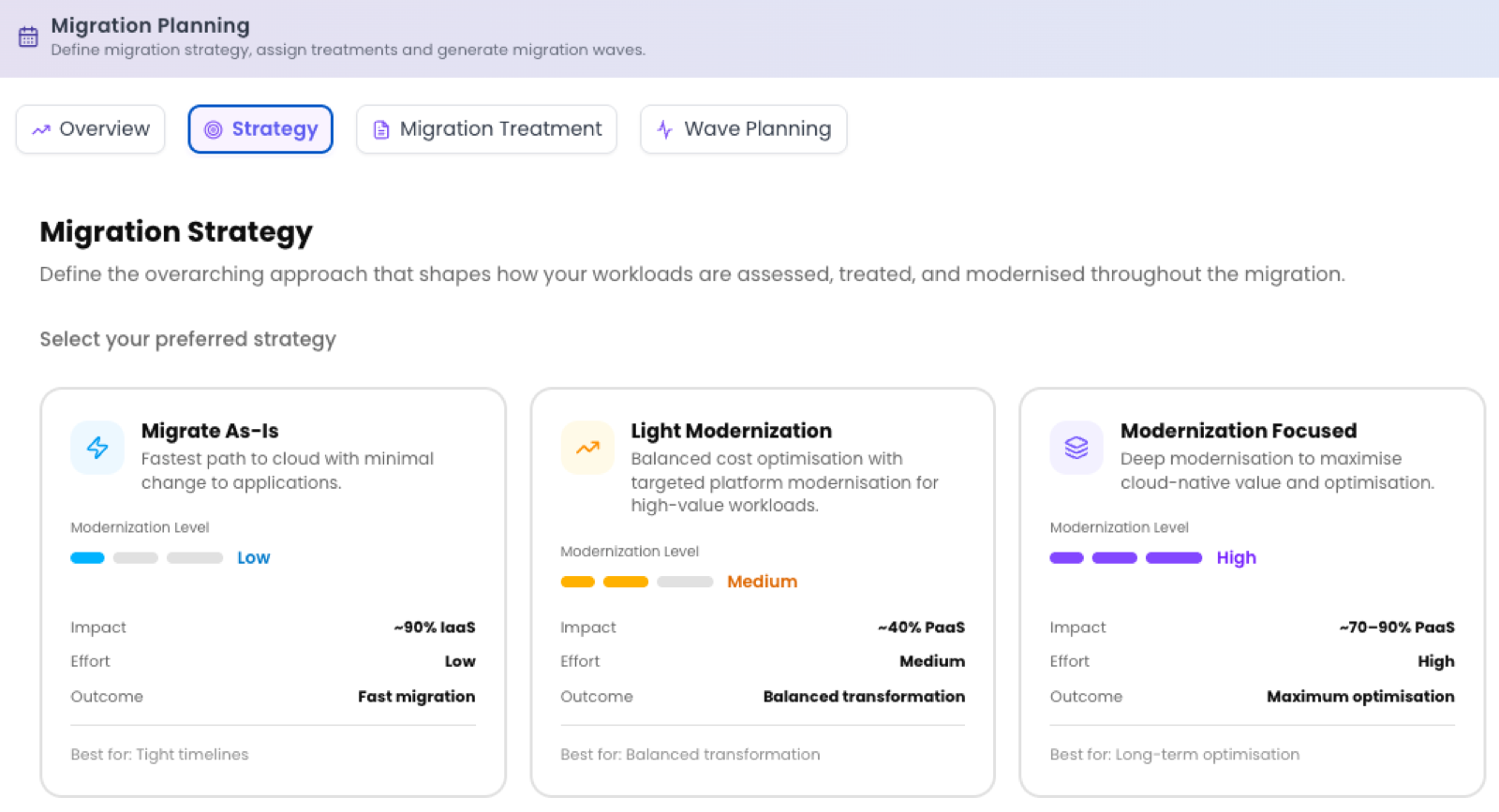
Choose a strategy
The Strategy tab presents three selectable cards. Each represents a different balance of speed, effort and modernisation. Pick the one that matches the conversation you've had with the customer. The proportions shown are illustrative targets, not hard rules.
| Strategy | Modernisation level | Typical target mix | Effort | Outcome | Best for |
|---|---|---|---|---|---|
| Migrate As-Is | Low | ~80% IaaS | Low | Fast migration | Tight timelines |
| Light Modernization | Medium | ~40% PaaS | Medium | Balanced transformation | Balanced transformation |
| Modernization Focused | High | ~70–80% PaaS | High | Maximum optimisation | Long-term optimisation |
Migrate As-Is
A lift-and-shift bias: most workloads land on IaaS with minimal change. Modernisation level is Low and effort is Low, delivering a fast migration. Best when you're working to tight timelines and want to move first, optimise later.
Light Modernization
A balanced approach that shifts a meaningful share of workloads to PaaS (around 40%) while keeping effort moderate. Modernisation level is Medium and effort is Medium, delivering balanced transformation. Best when you want real modernisation without a wholesale re-architecture.
Modernization Focused
Pushes the estate hard toward PaaS and cloud-native targets (around 70–80%). Modernisation level is High and effort is High, delivering maximum optimisation. Best when long-term running cost and agility outweigh up-front effort.
What happens when you select a strategy
Selecting a strategy makes Dr Migrate evaluate every server and technology in the estate and generate a set of treatment preferences for you to review. Those preferences become the guard rails the 6R treatment planner follows when it assigns a treatment to each workload.
Your selection auto-saves, and you can revisit and change it at any time. Changing strategy regenerates the preferences, so review them again before regenerating the treatment plan.
Next step
With a strategy in place, move on to review and tune the generated preferences, then assign treatments.