

Modernization
The Modernization tab moves you from "what have we got" to "where could it go". It surfaces and prioritises modernization opportunities across the estate, and assesses how ready your workloads are for Azure. A left sub-navigation splits it into two views: Opportunities and Cloud Readiness.
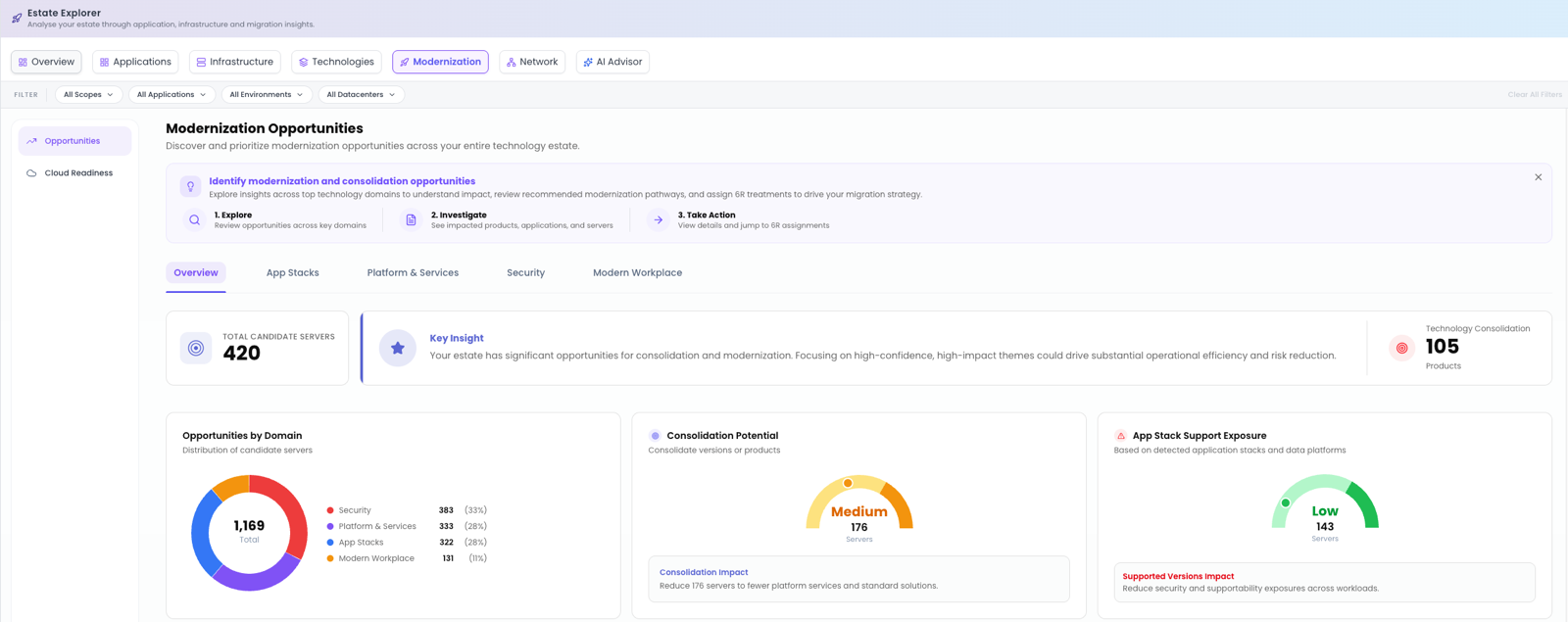
Opportunities
Opportunities sizes the prize: how many candidate servers there are and how many products could be consolidated into Azure PaaS. Inner tabs let you focus by area: Overview, App Stacks, Platform & Services, Security and Modern Workplace. The view brings together several panels:
- Key Insight: the single most important takeaway for the current scope.
- Technology Consolidation: where many products can collapse into fewer managed services.
- Opportunities by Domain: a donut showing where the opportunity is concentrated.
- Consolidation Potential: the scale of simplification available.
- App Stack Support Exposure: how much of your app-stack estate is at support risk.
- Top Opportunity by Domain: cards summarising each domain's primary motion (for example Replace or Replatform/Refactor), its consolidation potential (High/Low), and the top Azure targets (for example Microsoft Defender for Endpoint, Azure Monitor or Azure App Service).
From any target you can View (jump to that technology's page in Technologies) or Assign 6R to set a treatment directly.
Cloud Readiness
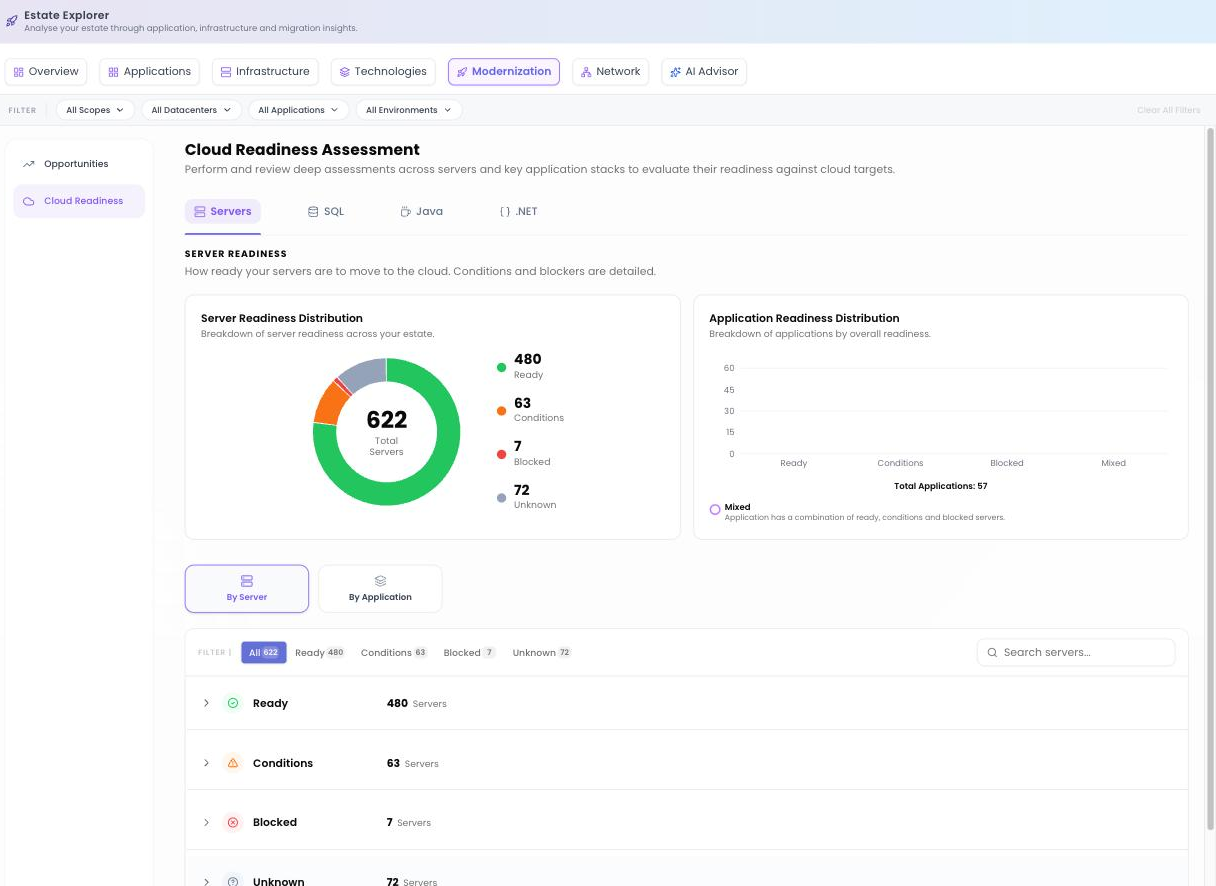
The Cloud Readiness Assessment tells you not just whether something can move, but what stands in the way. It's organised into tabs by readiness type:
| Tab | What it assesses |
|---|---|
| Servers | Server Readiness: suitability for Azure IaaS. |
| SQL | SQL Readiness: compatibility with Azure SQL and SQL Managed Instance. |
| Java | Java Readiness: suitability for cloud-native and platform targets. |
| .NET | .NET Readiness: App Service and container pathways. |
Two distributions frame the results: Server Readiness Distribution (Ready / Conditions / Blocked / Unknown) and Application Readiness Distribution (Ready / Conditions / Blocked / Mixed). A By Server / By Application toggle lets you see whether it's a machine or a whole application that's affected, and you can Export the results.
Microsoft first-party assessment integration
For code and database readiness, Cloud Readiness brings Microsoft's own first-party tooling into Dr Migrate:
- Java and .NET: use Import Results to upload your App Cat results. Once imported, you'll see suitability for container, App Service and AKS targets.
- SQL: upload SQL assessment data collected via DMC to see issues by database and check each one against SQL Managed Instance and Azure SQL.
This is the integration previously referred to as App Assessment (GitHub) / AppCat. SQL, Java and .NET assessment data is collected by DMC; see Data Collection → DMC for how to run those scans.
Where to go next
Once you've prioritised opportunities and confirmed readiness, assign treatments and waves in Plan → Migration Planning. To see dependencies before sequencing, check the Network tab.