

AI Advisor
The AI Advisor brings Azure OpenAI into Dr Migrate so you can query your data in natural language. It's not a generic chatbot bolted on the side; it's fully aware of the planning experience, including support statuses, wave plans, dependencies and the decisions you've already made. Ask a question in plain English and it answers in the context of your estate.
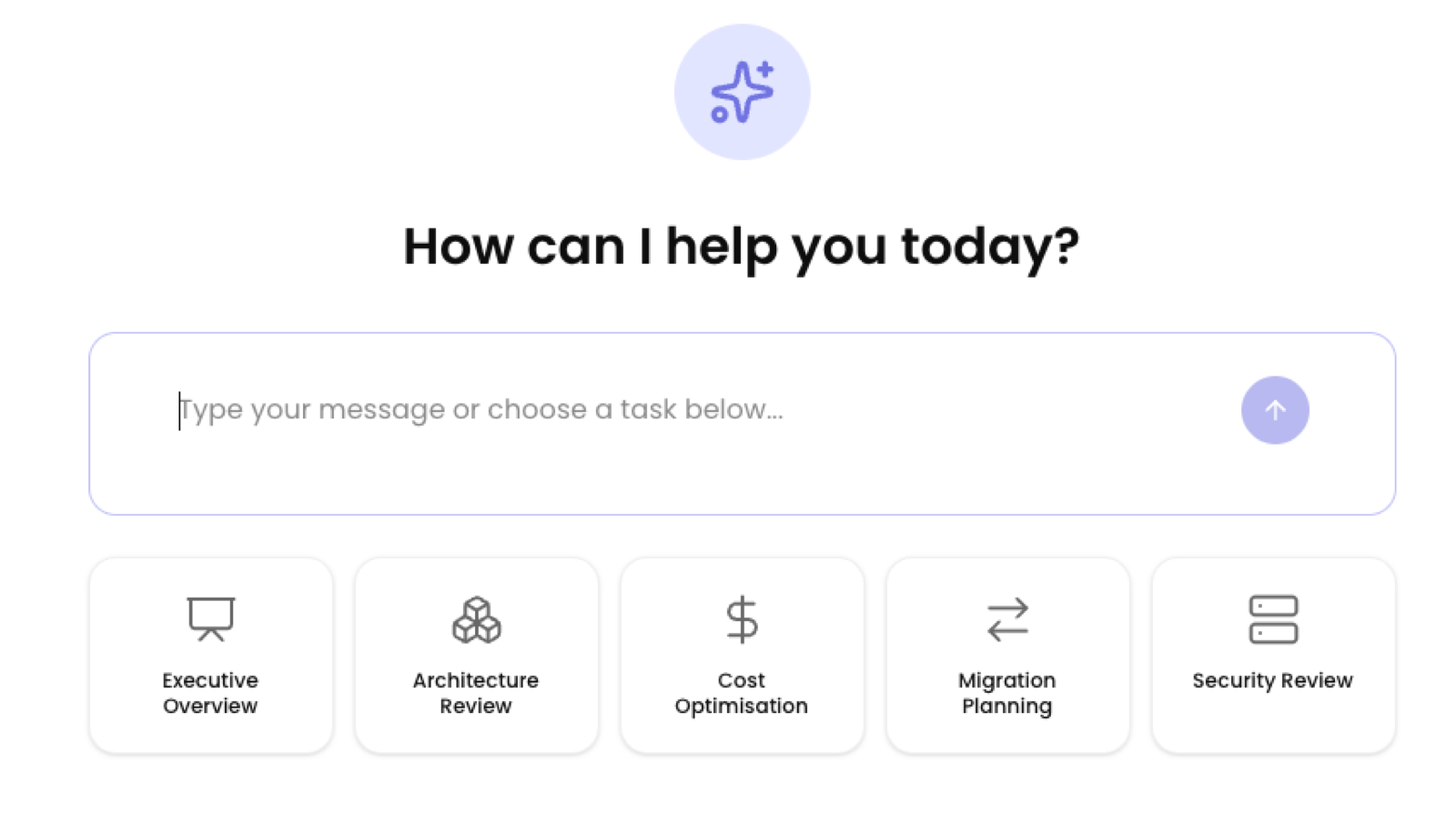
How it works
The Advisor opens with a simple prompt, "How can I help you today?" and a set of pre-set task chips to get you started:
A high-level summary of the estate for leadership.
How the estate is structured and where it could improve.
Where savings sit and how to realise them.
Treatments, waves and sequencing guidance.
Exposure, risk ports and support status.
Pick a chip or type your own question. Because the Advisor is wired into your Dr Migrate data (not just a server list), it understands support status, dependencies, treatments and wave plans, and can return graphs, tables and exports as well as text. It also suggests follow-on questions to help you go deeper.
Two kinds of AI in Dr Migrate
It's worth being clear about the difference, because they're often confused:
| Embedded intelligence | AI Advisor | |
|---|---|---|
| What it is | Machine learning inside the product | A user-facing Azure OpenAI assistant |
| Used for | Pattern detection, auto-mapping, recommendations | Answering your questions, contextual help |
| Visible to you? | Works behind the scenes | Yes, you chat with it |
| Optional? | No, it's core to analysis | Yes, opt-in |
The AI Advisor is independent from the AI/ML used within the product's analysis. Turning the Advisor off does not affect auto-detection or recommendations.
What it can do
The Advisor can:
- Summarise and answer about the whole estate or a specific application, for example "summarise risk in the security domain" or "list the out-of-support servers for this app".
- Produce graphs, tables and exports, not just prose, so the answer is ready to use in a review or pack.
- Suggest follow-on questions to guide the next step of your analysis.
Estate level vs application level
The Advisor runs at two scopes:
- Estate level: reachable from the side menu, it reasons across the whole estate.
- Application level: opened from the Application Drawer, it's already aware of the application you're in, so you can ask about "this app" without re-specifying it.
You'll also find an entry point on the dashboard and within Estate Explorer.
Security and data handling
The AI Advisor is opt-in / opt-out at setup and runs in a dedicated Azure OpenAI instance in the customer's own resource group. It can be enabled or disabled independently of the rest of the product, so you stay in control of where your data goes.
Nothing leaves the tenant. The Advisor runs within the customer's own environment, and no PII or IP is shared with external services. Usage is uncapped at launch.
On the roadmap: curated, pre-made prompts tailored to each scenario, so the task chips become guided starting points rather than blank prompts.